Seller Guide
How to Handle Orders as a Thriftverse Seller
Thriftverse TeamFebruary 21, 20265 min read
When a buyer places an order on Thriftverse, you become responsible for getting that item safely to their doorstep. Don't worry - we've made the process simple. This guide walks you through every step, from the moment you receive the order to the moment it's on its way via NCM.
1
Receive the Order Notification
When someone purchases from your store, you'll instantly receive both an email and a push notification on your Thriftverse mobile app. This confirms that a buyer has placed an order and is waiting for their item.
Tip: Make sure notifications are enabled in the Thriftverse app settings so you never miss a sale.
2
View the Order in the App
Open the Thriftverse app and go to the Orders section from the bottom navigation. Here you'll see all your active and past orders. Tap on the new order to view the buyer's details, the items ordered, and the delivery address.
3
Use 'Move to NCM' in the App
On the Order Details page, tap the 'Move to NCM' button. This automatically creates the shipment order on the NCM portal using your Thriftverse Vendor ID (37588) - so NCM already has your order registered before you arrive at the branch. You don't need to provide your Vendor ID manually at the counter.
The 'Move to NCM' button registers your order on the NCM portal automatically - no manual entry needed at the counter.
Tip: Do this before heading to the NCM branch so the staff can instantly locate your order.
4
Pack the Order
Carefully pack the item(s) using your own packaging materials - a box, bubble wrap, or a sturdy bag that protects the product during transit. Make sure the item is secure and cannot shift around inside the package.
Tip: Use clean, presentable packaging. Your packaging reflects your brand and creates a great unboxing experience for the buyer.
5
Download and Fill the Shipping Label
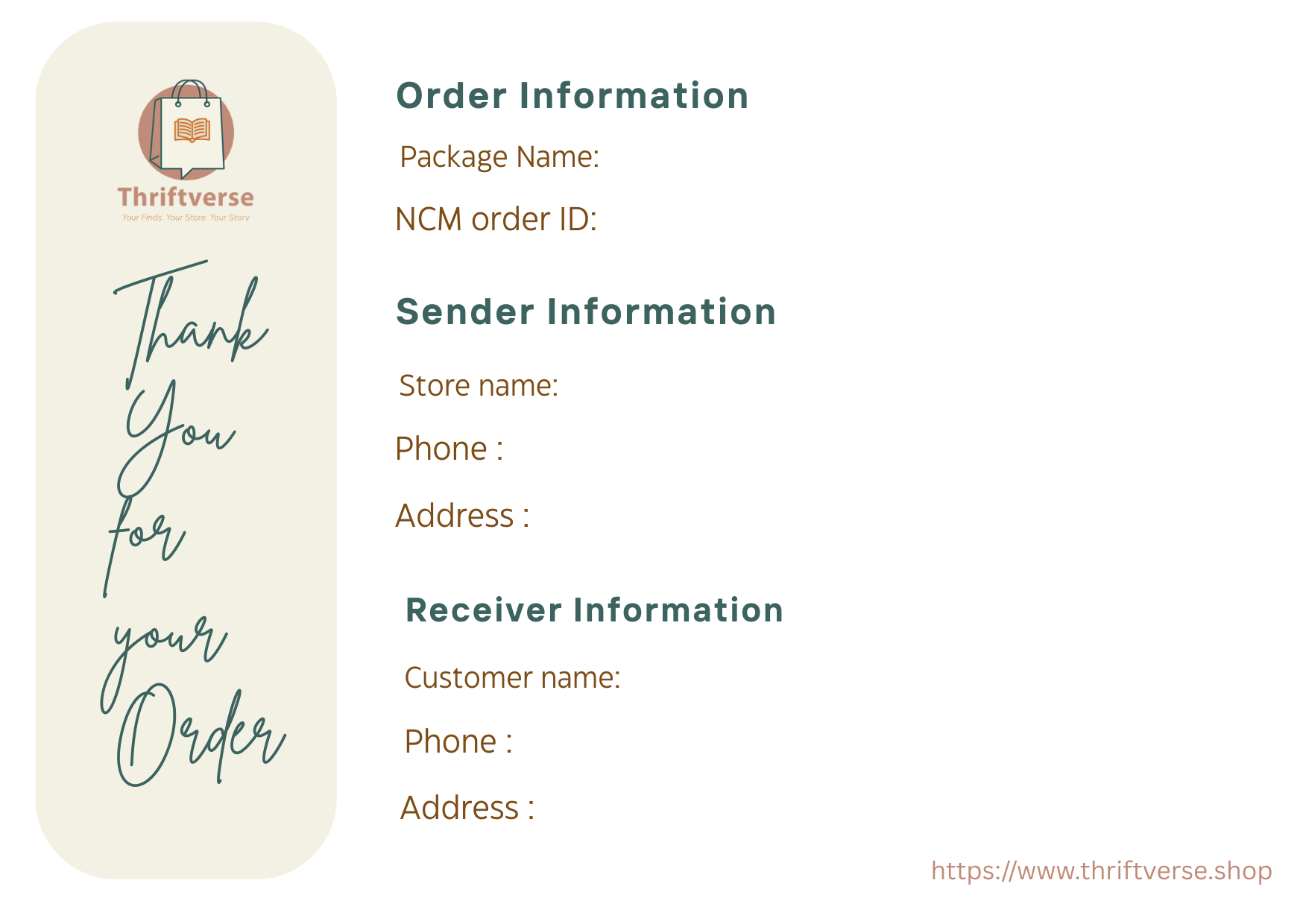
From the Order Details page in the Thriftverse app, download the Thriftverse shipping label. Print it out and fill in the required fields - especially the Order ID, which must be clearly and legibly written on the label. You can preview the label below before downloading.
The Order ID must be clearly written on the shipping label - NCM will use this to register your shipment.
Or: Don't want to use the Thriftverse label? Simply write your NCM Order ID (received after tapping 'Move to NCM') clearly on the package itself - NCM can identify your shipment using just the Order ID.
6
Visit Your Nearest NCM Branch
Take your packed and labelled package to the nearest NCM (Nepal Can Move) branch. NCM is Thriftverse's official delivery partner for shipping orders across Nepal. Since you've already registered via the app, just show your Order ID to the staff.
7
Confirm Your Order ID at the Counter
At the NCM counter, hand over your package and confirm your Order ID with the staff. Since you already used "Move to NCM" in the app, your shipment is pre-registered in their system. The staff will quickly locate it and generate the official NCM shipment label.
- Order ID: (as written on your shipping label)
If asked, you can also provide the Thriftverse Vendor ID: 37588.
Thriftverse Vendor ID: 37588 - keep this as a backup in case the staff needs it.
8
Attach the NCM Label and Hand Over
NCM will print their own shipment label for your package. Stick it on the package as instructed by the NCM staff, then hand it over. Your order is now officially in transit and on its way to the buyer!
🎉 You're all set!
Once the package is handed over to NCM, you can track the delivery progress directly from the Order Details page in the Thriftverse app. Your buyer will also receive tracking updates as the order moves through the delivery network. That's all there is to it - keep selling and keep thrifting!